What is Keeper? And how to use it
What is Keeper?
Keeper is a Password Manager. It is a service that helps manage your credentials and helps keep them secure and safe. Some of these items include:
- Logins to websites and applications
- Credit Cards
- Secure Identities
- Password Generation
- Sharing of these above items
Why should we use a password manager?
- So what is the point of password/credential managers? They help keep our clients safe by ensuring all credentials that we use are secure and not easily compromised by nefarious means. This keeps the client, Cornett, you, and your family safe also.
- Part of what makes Keeper Business great is that it comes with free family subscriptions for all employees. Meaning, you can use Keeper Family and so can your family members for no additional cost.
One Password to rule them all!!!
- It is worth noting when you setup your Keeper account YOU MUST REMEMBER YOUR MASTER PASSWORD. And that password should not be used for any other service.
- If you forget your password and the hint you setup from the start does not help you remember, and account recovery does not work, the only option is to delete and restart the account from anew.
- When you are logged in and have a master password set you can create folders to help you organize and more importantly, share credentials. Credentials may also be shared with you. This can be done by creating a shared folder.
Below are a few useful links to videos:
Install Keeper
Keeper has Desktop app, Mobile apps, a website and browser extension to make it easy to access your passwords on any devices.
Download Keeper Here
Sharing Passwords
Sharing With Cornett Employees
- A folder of records can be shared with someone else at Cornett. Here is a two and a half video explaining how to share a folder of passwords
- If you just need to share a specific pass, here is a one minute video about sharing a single record, with someone else who has Keeper.
Sharing with Clients or Vendors
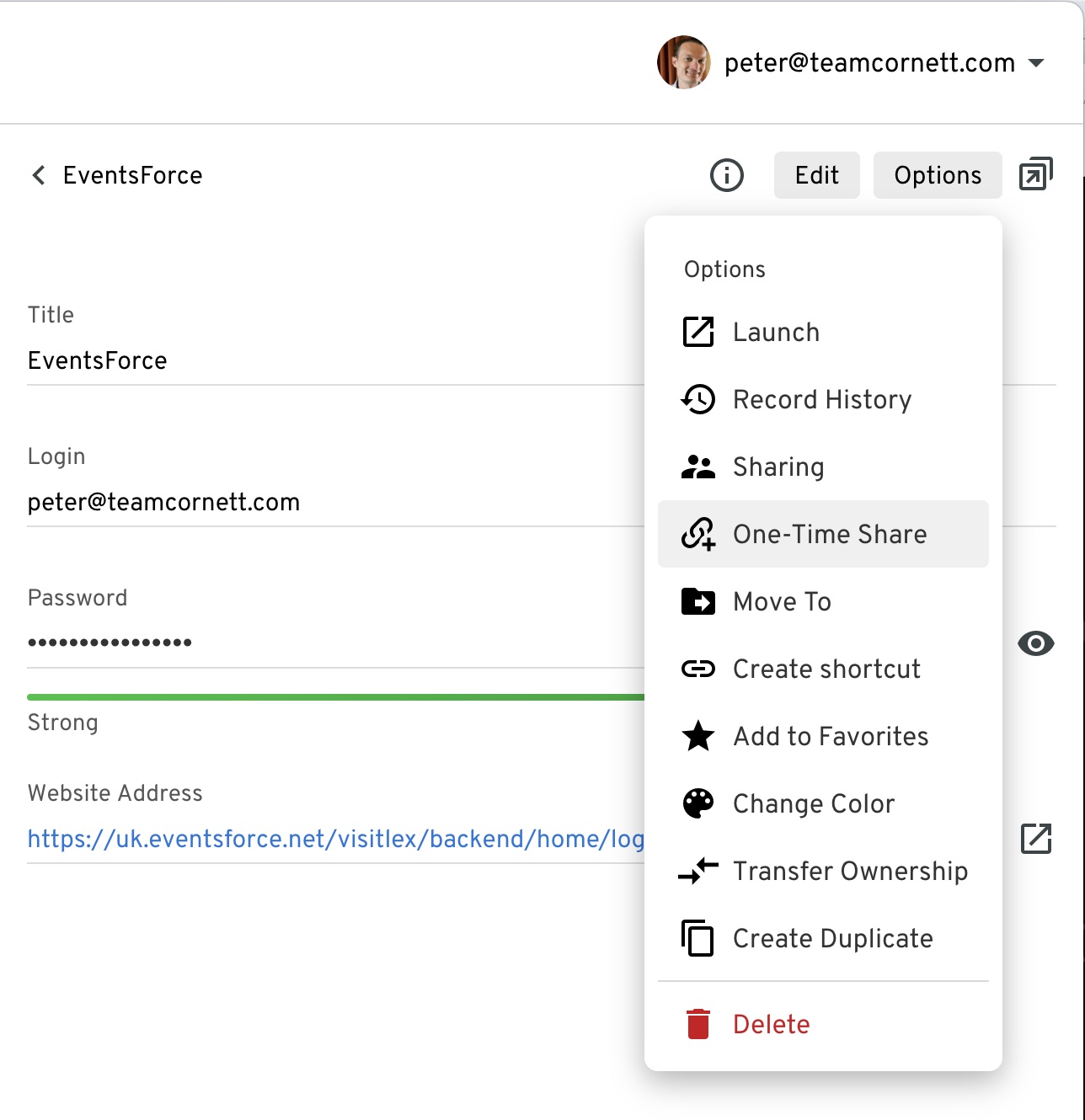
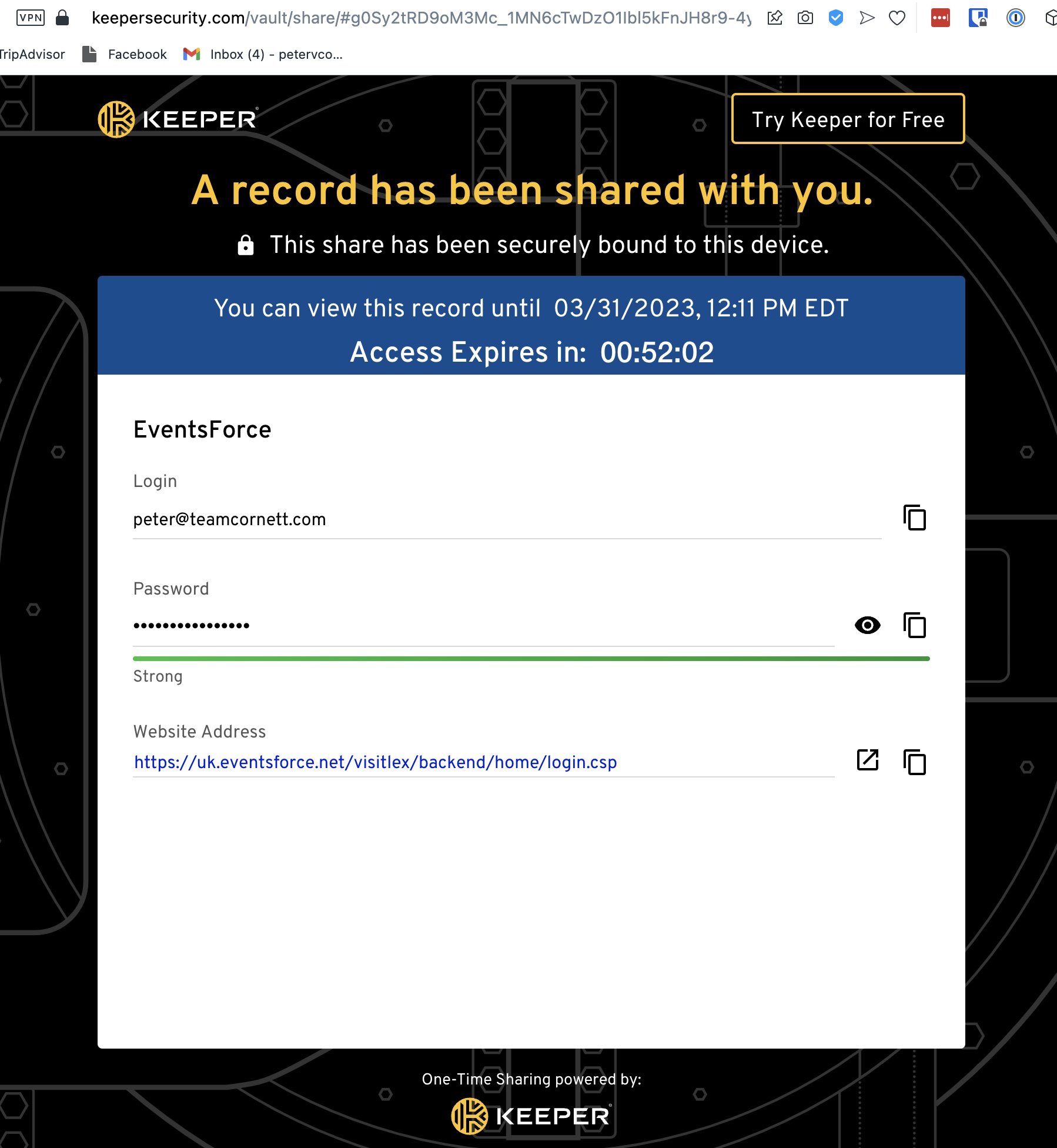
Click options and choose “One-Time Share” that will create a link that you can email to someone else, even if they don’t have a Keeper account. They will only be able to open it on one computer and the link expires after a set amount of time. They won’t have to create a Keeper account. Here’s are screenshots of where to find that under “Options”:
Here’s what it looks like for the recipient:
# Stay Logged into Keeper
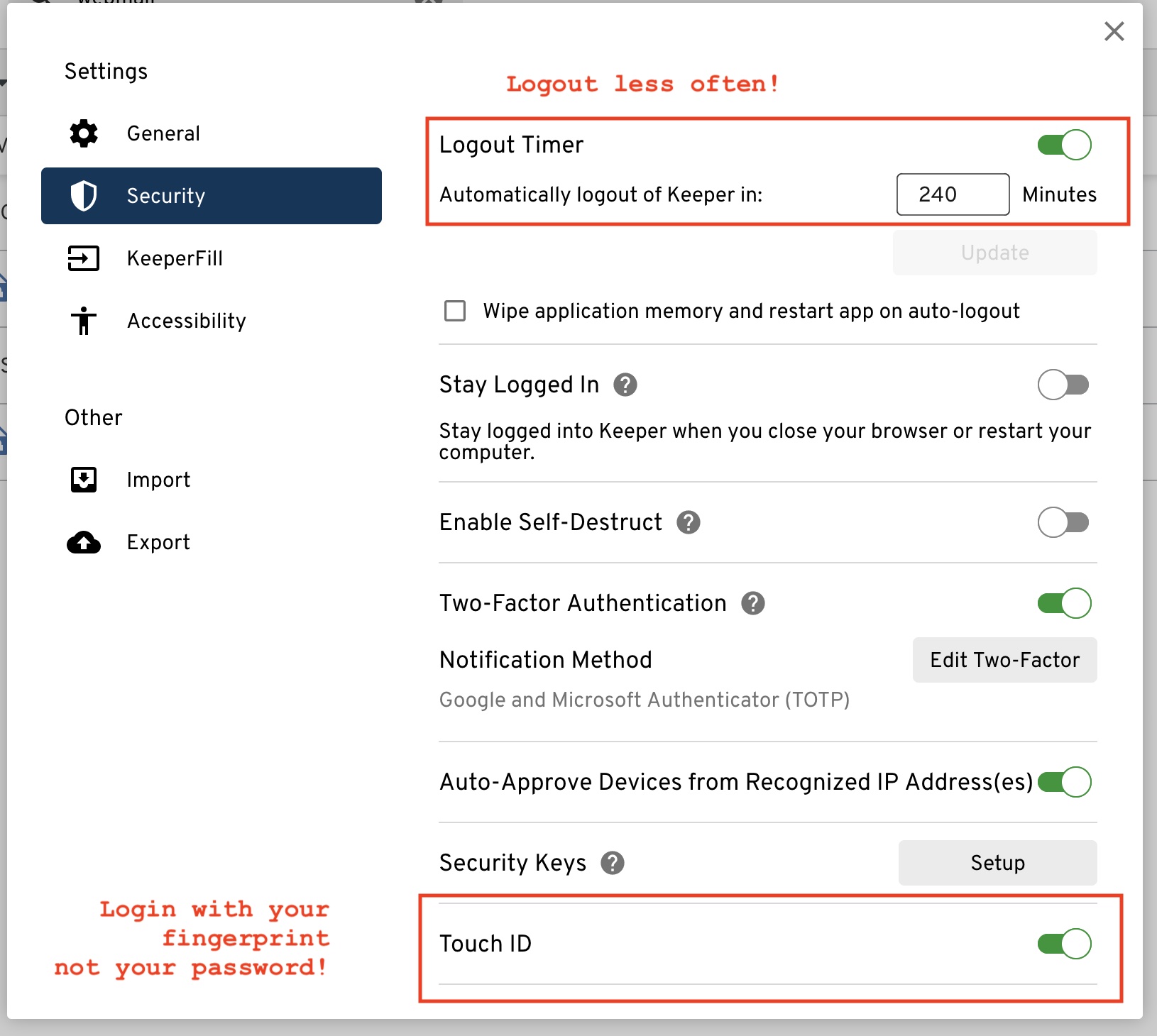
Stay logged into Keeper longer, without having to retype in your password:
Go to settings and adjust the “Logout Timer” (please resist the temptation to turn this off all together. In the past laptops have been stolen from people’s homes and cars and it would be bad for the crooks to have access to all our passwords so logging out ever few hours is a good idea) Or better yet, turn on Touch ID so you can just login with your finger print.