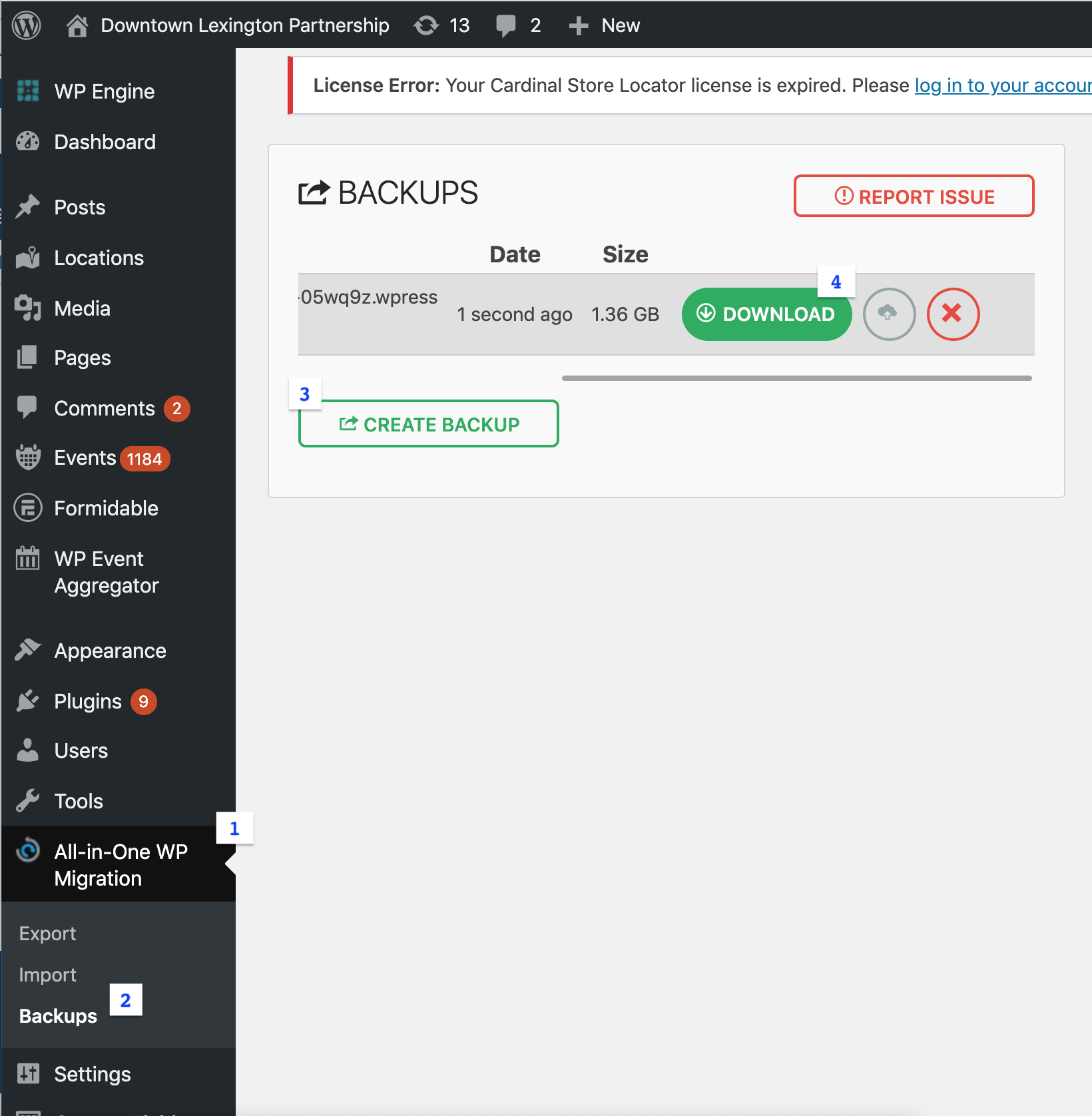
To make the backup process easier, there is a backup plugin Peter has used, called “All-in-One WP Migration”. To use it go to the left hand navigation and click on 1: “All-in-One WP Migration”, then 2: “Backups”. Click on 3: “Create Backup” after that is done, a big obnoxious prompt will appear asking you to download your backup to your local computer. Alternatively you can scroll to the right of this screen and click the 4: “Download” button. Go ahead and download the backup created and then you should be good to run the Update.